
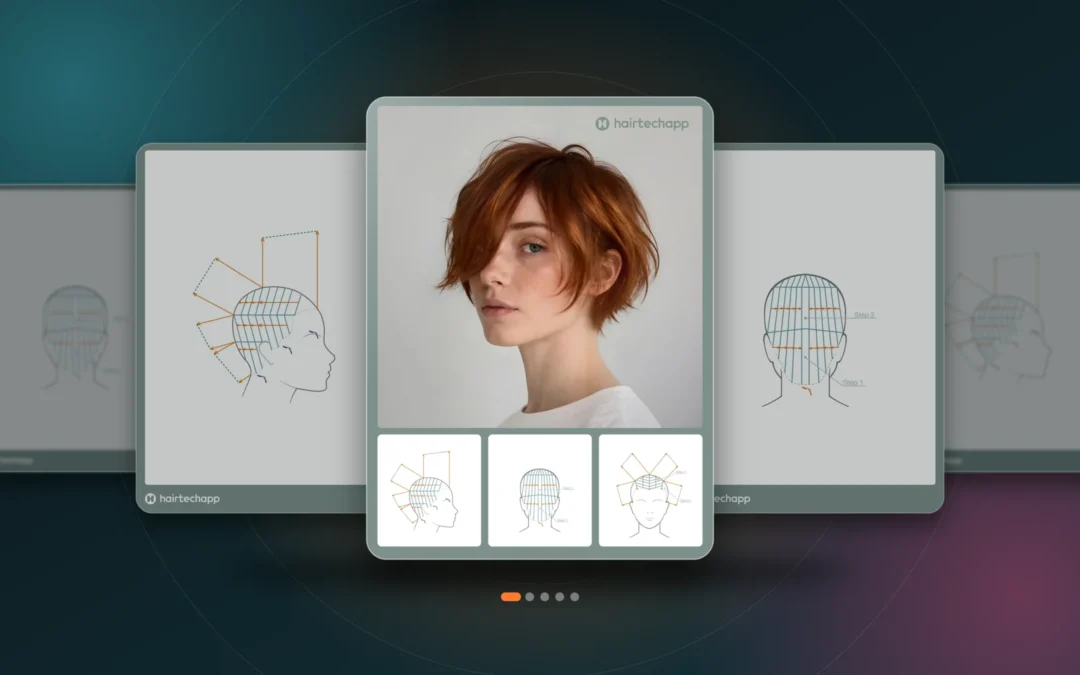
You finished a great cut. You have the photos, and you have the diagram that shows how you got there. Posting them together usually means screenshots, a design app, cropping, picking colors, and exporting one image at a time.
Hairtechapp already keeps your photos and head sheets together in every haircut. But getting them out in a form that looks good on Instagram was up to you.
Today, that changes:
You can now turn any haircut into a ready-to-post carousel with Carousel Studio.
That means:
- Start with a cover that's already designed. The first card pairs your best photo with three diagram tiles. Pinch and drag to frame the photo. Tap a tile to pick which sheet it shows and how close it zooms in.
- Add the cards that tell the story. Build up to 10 cards from your diagram sheets and photos. Swipe between them, drag to reorder, and delete the ones you don't need.
- Get a background that matches the cut. Carousel Studio picks a calm background color from your cover photo and skips skin tones, so the hair and the room set the mood. Want something else? Tap a suggested swatch or choose any color, for one card or all of them.
- Export at Instagram's size. Every card is a 3:4 PNG at 1080×1440, or 2160×2880 when you want every line of the diagram razor sharp. Share the whole set in order, straight to Instagram or to Photos.
- No photos yet? No problem. Open the studio from any haircut and add photos from your library right from the cover. They're saved to the haircut too.
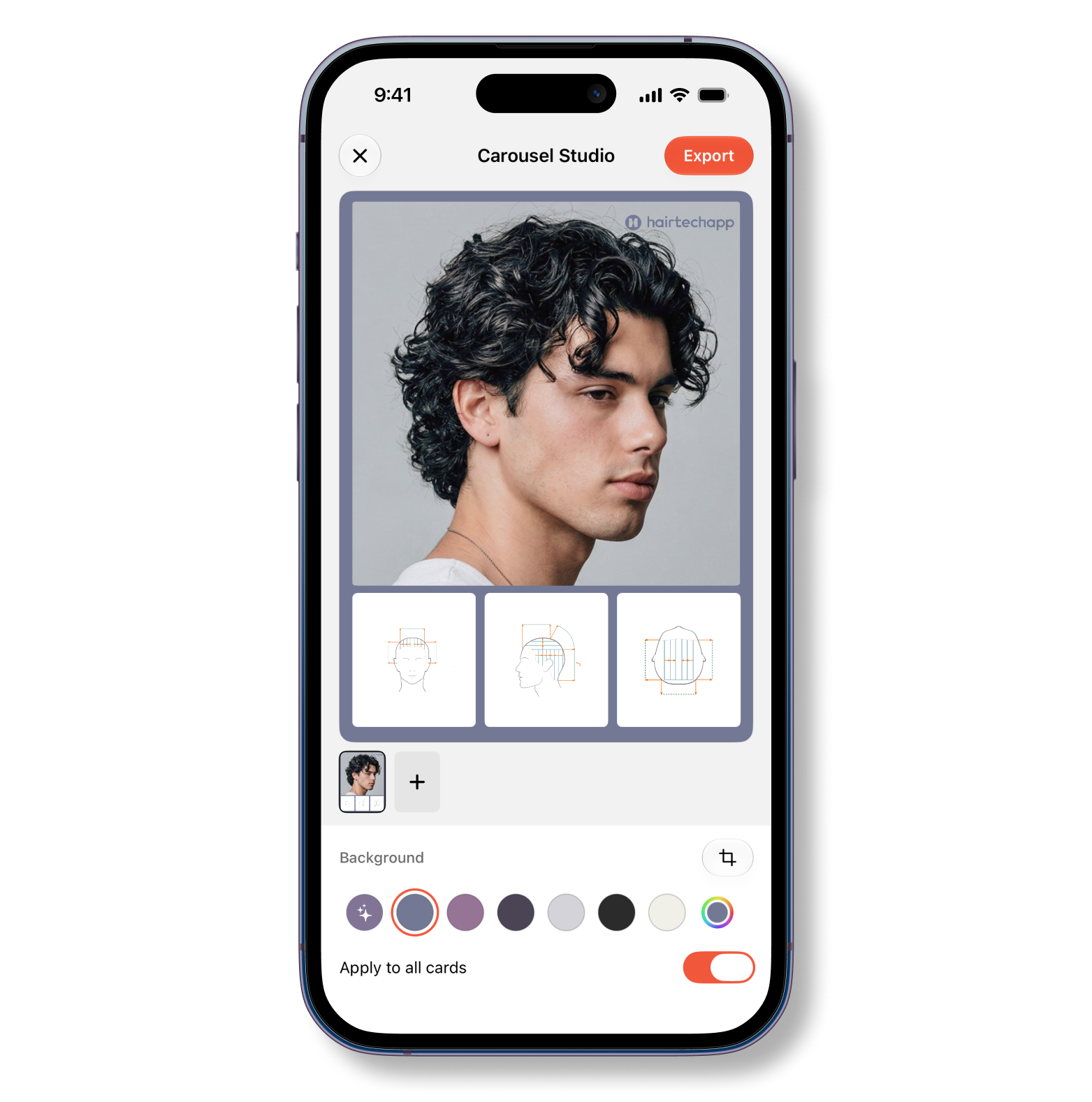
Carousel Studio lives in the ••• menu of every haircut, right after Export PDF. It works on iPhone and iPad, with Liquid Glass controls on iOS 26. And it's free for everyone: no watermark, no subscription.
Your diagrams are the part of your work nobody else can copy. So update Hairtechapp, open your last haircut, tap •••, and show people how it's done.
Update Hairtechapp on the App Store
Topics: Social Media · Sharing